
Your teams learn by doing.
Not by watching
100% practical training from the first lesson.
Our Learning-by-Doing methodology eliminates passive watching, allowing teams to build skills directly inside Microsoft Excel with live expert support.
How does Learning-by-Doing work in practice?
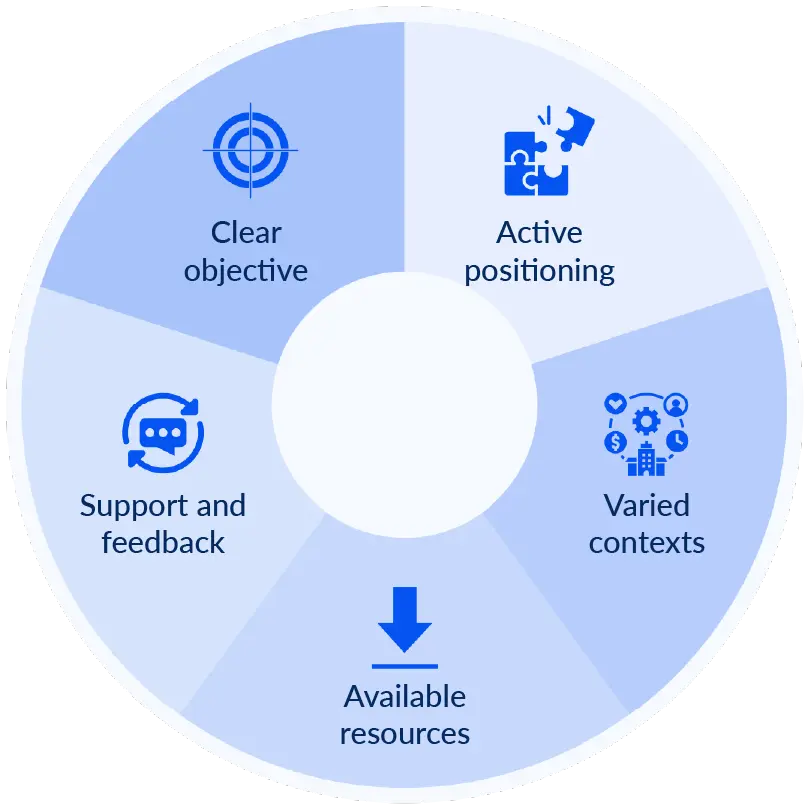
At Ninja Excel, we replicate daily work tasks through active execution. Every lesson follows a structured five-step process to ensure technical proficiency. This is how it works inside Ninja Excel, in a simple and repeatable way across every class:
The Five Steps of
Learning-by-Doing at Ninja Excel
-
1. Clear objective:
Each lesson starts with a specific technical goal tied to professional tasks. -
2. Active positioning:
Learners face a concrete challenge that places them at the center of the task. -
3. Varied contexts:
Exercises simulate different business scenarios to show where each function applies. -
4. Available resources:
Each class includes clear instructions, guidelines, and supporting resources that help learners complete the exercise with confidence. -
5. Support and feedback:
Direct access to Microsoft Certified Trainers to resolve blockers in real-time.
They Learn by Doing, and apply in at work
In Ninja Excel, every class combines a concise explanation with immediate hands-on practice inside a real Microsoft Excel spreadsheet. Your teams apply what they learn by using functions, solving exercises that mirror their daily workflows, and validating their progress in real time.
Exercises that reduce errors and build confidence
Learners practice directly in Excel with built-in validation that reinforces understanding as they progress.
Self-Paced progress with immediate support
If they need help, learners can repeat the class, review the guidelines, or message the Online Teacher, supported by a Microsoft Office Specialist.
Continuous progress without schedule constraints
Automatic validation in every class lets learners move forward without unnecessary delays.
Direct application to daily work
Each chapter works on a practical Excel skill, helping learners carry what they practice into their daily tasks.
57% of employees prefer learning experiences that help them solve real, job-specific problems
Structured hands-on practice also increases the likelihood of applying new skills at work.
The Association for Talent Development (2024) reports that employees who receive guided practice are 52% more likely to put new knowledge into action during the first week.

Learning-by-Doing is a proven workplace trend
Across OECD countries, 28% of employees develop new skills directly through the tasks they perform each day.
This form of workplace learning, where skills are gained through real job activities, is one of the strongest drivers of ongoing development.
In a professional training program with more than 300 adult participants, 100% reported positive results after using Learning-by-Doing.
More than 70% said the method helped them strengthen job-related skills in a clear and measurable way.
Neuroscience supports this approach
A 2024 review in Neuroscience & Biobehavioral Reviews highlights that active, hands-on learning engages the brain systems responsible for reward and motivation.
Lecture-based training depends heavily on working memory, which limits retention.
Active learning stimulates pathways linked to curiosity and agency, which increases motivation and strengthens long-term retention.
How is Ninja Excel different from other courses?
Most Excel courses rely on pre-recorded videos, static content, or downloadable PDFs.
Ninja Excel transforms the learning experience by combining live, hands-on practice with real-time feedback and measurable progress.
| Aspect | Traditional Excel Training ❌ | Learning-by-Doing at Ninja Excel ✅ |
|---|---|---|
| Start of the class | They watch a lesson first and then try to repeat the steps on their own. | ✅ Learners begin working in real Excel from their browser with clear guidance. |
| Learner role | They mostly observe explanations without participating during the class. | ✅ Learners take an active role, completing tasks tied to real workplace needs. |
| Type of exercise | Exercises tend to be generic or purely theoretical. | ✅ Practical challenges with built-in validation and immediate feedback. |
| Correction and feedback | Feedback usually arrives later or after the session. | ✅ The platform provides feedback as soon as each task is completed. |
| Content contextualization | Content is broader and not always tied to practical application. | ✅ Exercises focus on processes and situations the team encounters in daily work. |
| Support resources | Typically limited to manuals, PDFs, or theoretical content. | ✅ Step-by-step instructions, downloadable guidelines, and active support. |
Train Excel skills
your teams can
apply at work
Your teams don’t just need to understand Excel.
They need to feel confident using it and apply it naturally in their daily work.
With Ninja Excel, every class is a chance to practice, refine, and build practical skills from day one.

Frequently Asked Questions
about Learning-by-Doing at Ninja Excel
Learning-by-Doing is a methodology based on the idea that knowledge is built through active application.
It goes beyond watching, memorizing, or reviewing theory. Instead of receiving passive explanations, learners complete concrete tasks, reflect on their mistakes, and progress through continuous improvement cycles.
The approach is supported by models such as Kolb’s Experiential Learning Cycle, which describes learning as a sequence of performing, reflecting, forming concepts, and applying them again.
Excel is a practical tool at its core.
People learn it by using formulas, making mistakes, correcting them, and recognizing patterns through repetition.
A practice-based approach like Learning-by-Doing leads to deeper, more applicable, and longer-lasting learning.
Practicing in real Excel from the browser keeps learning connected to the realities of daily work, without simulations or artificial environments.
Every class follows a clear pedagogical structure:
Learning objective at the start
Learners know from the beginning which tool or function they will focus on.
Guided explanation from Ninja instructors
Short videos explain the logic behind each function and how to use it.
Hands-on exercise in real Excel
The task is completed directly in a fully functional spreadsheet, without installing anything.
Immediate validation
Results can be checked instantly. When errors appear, the platform offers guidance and explanations.
Active support
If further help is needed, learners can message the Online Teacher, supported by a Microsoft Office Specialist.
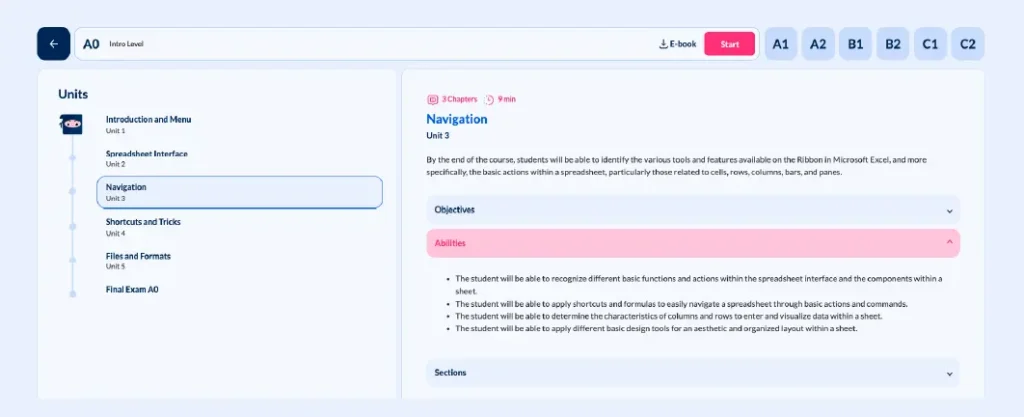
The methodology remains consistent from A0 to C2.
What changes is the complexity of the content and the type of tasks. The hands-on approach stays central because learning Excel depends on practical experience, not on theoretical progression.
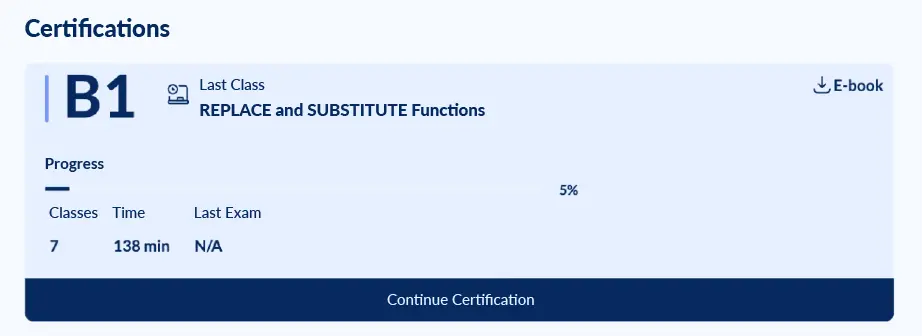
The full path is organized into sequential certifications and thematic specializations that help learners advance with clarity and focus.
The platform is designed to prevent blockers. When a learner struggles with a task, they can:
- Rewatch and repeat the class
- Check their answer and review the correct solution
- Send a question through the Online Teacher for technical or methodological guidance
The goal is to help every learner progress at a steady pace, in a safe space where trying, failing, and correcting is part of the process.
It does not replace it.
It simply offers a different level of effectiveness, relevance, and scalability.
Learners progress at their own pace, with context, tracking, and real support throughout the experience.
For the learner:
- Improves retention by learning through action
- Strengthens confidence and autonomy
- Enables immediate application from the first class
For the company:
- Reduces operational errors in Excel
- Increases productivity in critical tasks
- Delivers a clear return on the company’s investment in training