
Admin Center:
High-quality Excel training, easy to manage
The Admin Center allows you to organize, activate, and track your team’s training from a single place, providing clear insights for decision-making and ensuring continuity in every training cycle.

+2.000 companies are increasing their productivity with us.















With the new Ninja Excel Admin Center
Manage your training with autonomy and clarity
Designed to integrate Excel training into your daily operations, eliminating paperwork and third-party dependency.
From one single place, you can:
- Activate course packages and enroll participants.
- Organize groups by department.
- Monitor the status of every training plan.
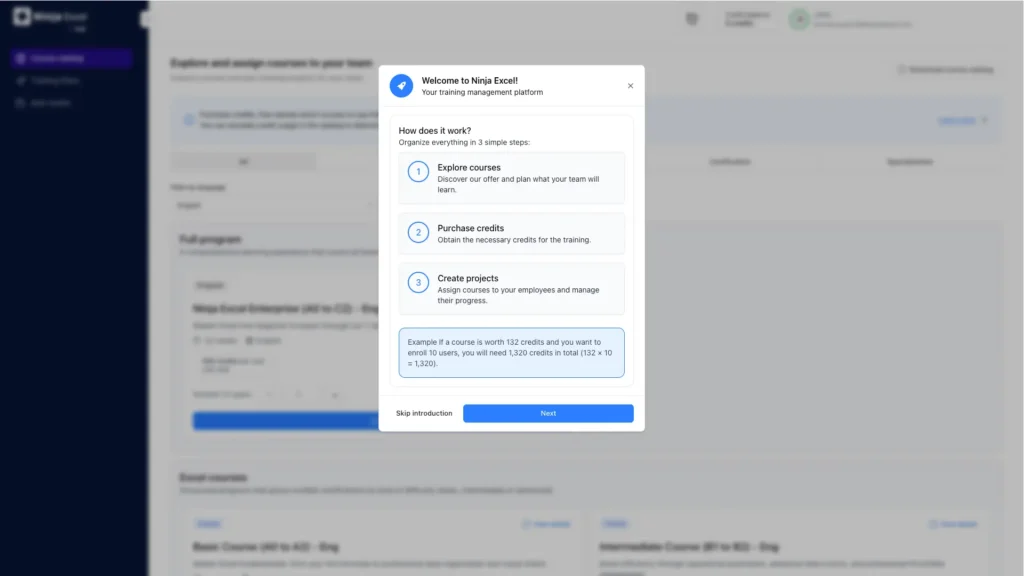
Autonomy to manage courses
Activate or modify plans quickly according to your needs, without relying on intermediaries. Reduce operational burden and regain total control over your execution timelines.
Clear progress tracking
Replace isolated inquiries with concrete data. Visualize status, completion rates, and results in real-time to anticipate any leadership requirements.
Peace of mind in daily management
Visibility creates predictable processes. Avoid rebuilding reports or waiting for external confirmations; strengthen your management with transparency and verifiable data.
Everything you need to scale Excel training
A suite of tools designed to simplify every stage of your training plan.
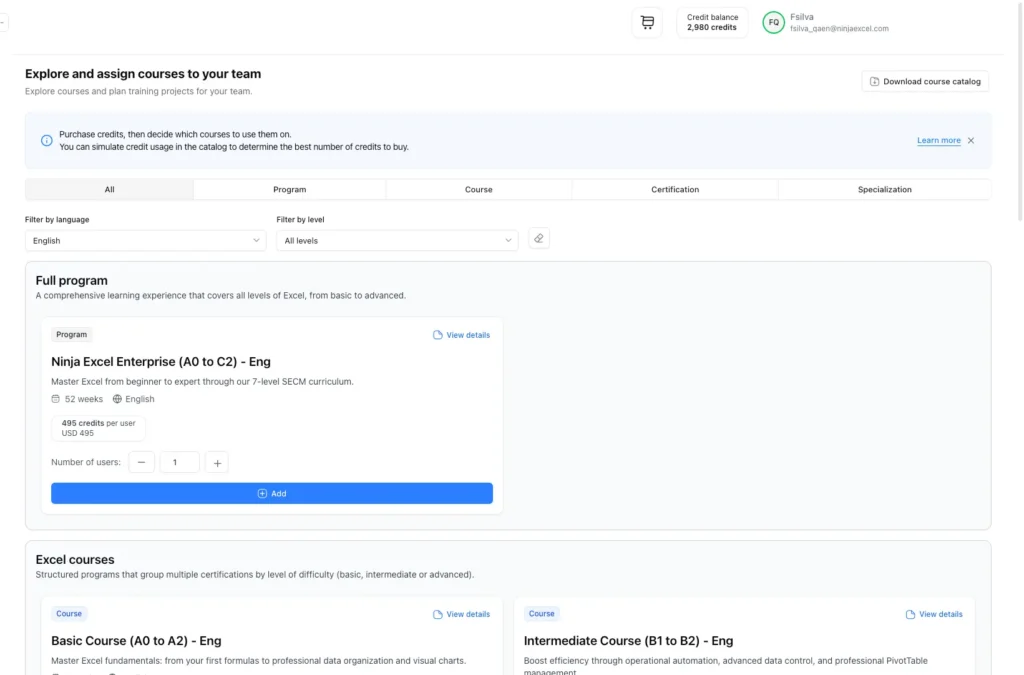
Course Catalog:
Access Ninja Excel’s catalog of certifications, courses, and specializations from the same environment and purchase instantly. Respond faster to new training needs without extra coordination processes.
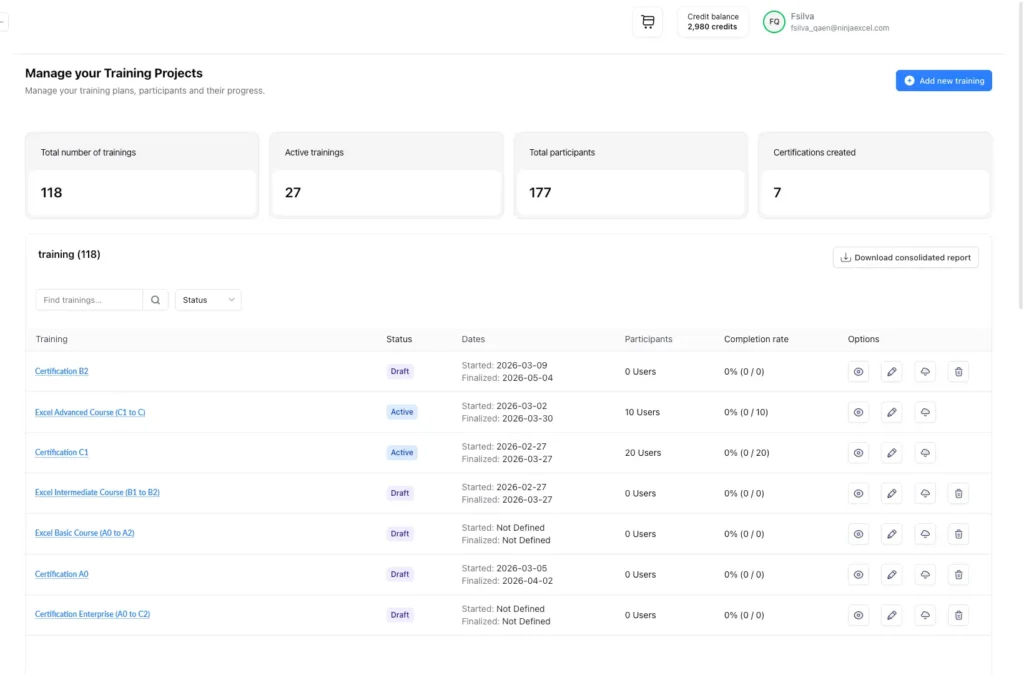
Training & Project Dashboard
From a consolidated view, you can review:
- Total active plans.
- Number of participants.
- General status and completion rates.
Information remains available over time, reinforcing process continuity.
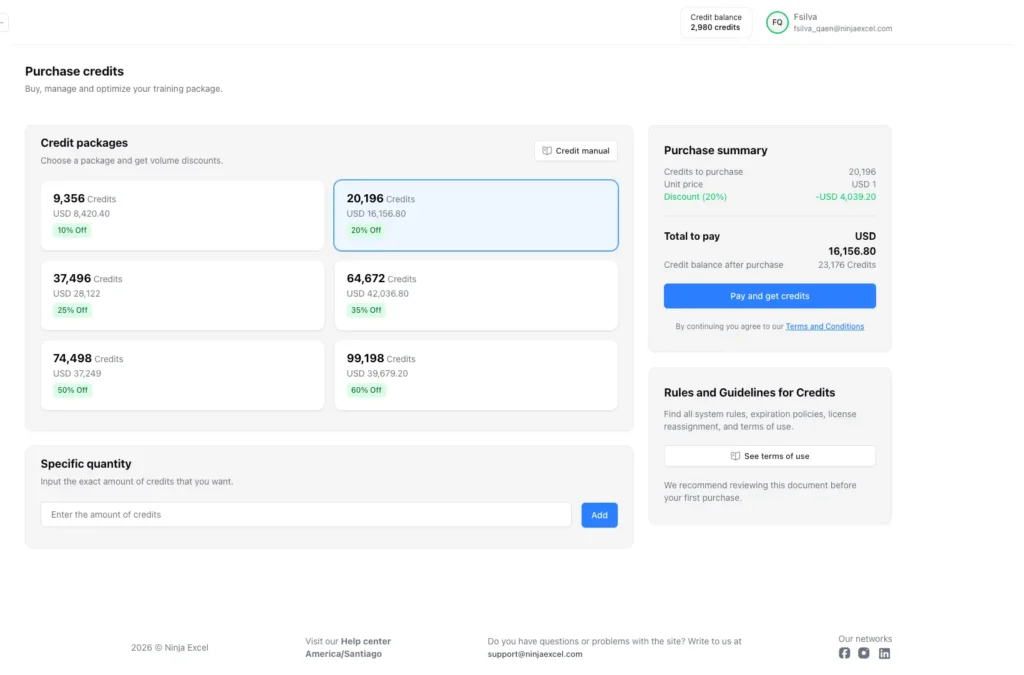
Credit Management
The credit model allows you to plan training throughout the year and apply the budget based on priority, timing, or team needs. Management remains simple even as the number of employees or training frequency grows.
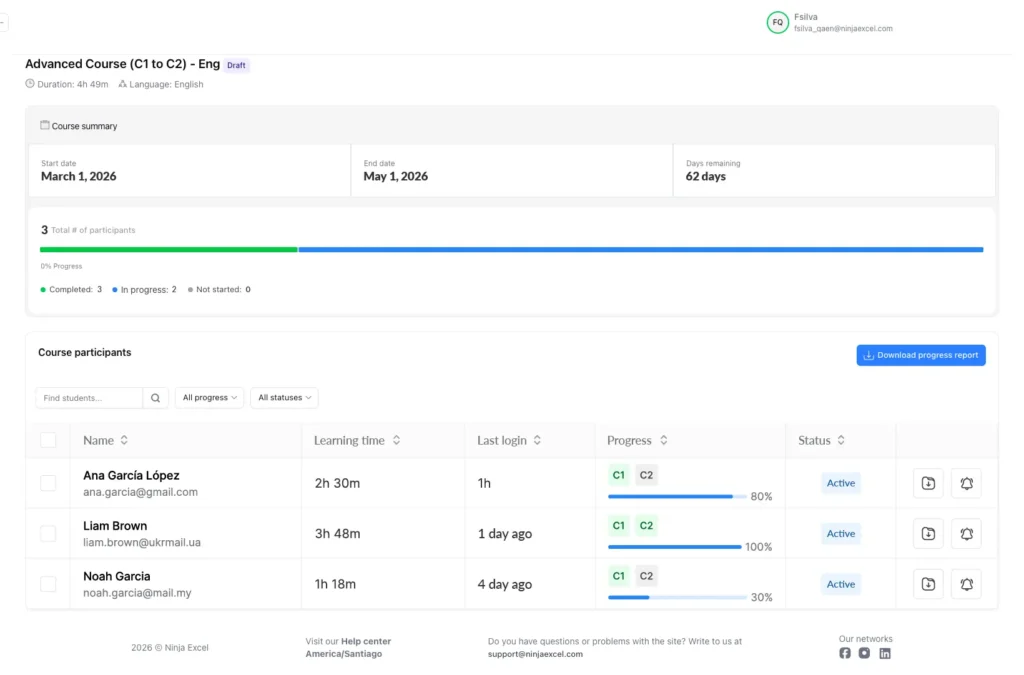
Individual Tracking
Within each plan, you can access:
Participant status, progress percentage, and learning time.
- Last login and final exam results.
- Additionally, you can download Excel reports or send individual reminders whenever necessary.
Visible results
under your control
The Admin Center centralizes relevant information for structured and continuous internal tracking.
Information for Tracking
Each level includes hands-on lessons, assessed exercises with automatic feedback, and a final exam that leads to internal certifications designed around real-world application.
Consistency and scale in every cycle
The tracking structure remains identical even when opening new groups or repeating plans during the year. Control stays stable regardless of your operation’s scale.
- Maintain total visibility whether you manage 10 or 500 active collaborators.
Confidence in results
Real-time access to verifiable data allows you to:
- Present results with definitive information.
- Easily respond to internal inquiries.
- Guarantee training continuity throughout the organization
Manage your Excel training with
autonomy and precise tracking.
The Admin Center ensures control, continuity, and predictability in every training cycle.

FAQ
about the Admin Center
Find answers to common questions about how Ninja Excel works for teams and companies.
It is the space within Ninja Excel that allows training managers to activate course packages, enroll participants, and track progress from a single place. It is designed to integrate Excel training into the standard HR management workflow.
You can:
Activate new plans and enroll participants.
Organize groups by area and review training status.
Send individual reminders and download Excel reports.
Within each plan, you can access: status (not started, active, or finished), progress percentage, learning time, last login, and final exam result. This allows for individual tracking under the same criteria.
From the Admin Center, you can purchase credits and use them to activate course packages based on your organization’s needs. This model allows for year-round planning and priority-based distribution.
Yes. You can create multiple plans and organize them by department, team, or company segment, keeping participants and tracking separate for each.
You can download Excel reports including: participants per training, individual status, progress percentage, plan dates, and final results.