Take full control and manage your team’s training without intermediaries.

Hands-on Excel Training
for tech and telecom industry teams
Train your teams to work with aligned KPIs, consistent calculations, and standardized Excel reports across Product, Support, Operations and Commercial.









What do your teams achieve by training in Excel?
Teams in Technology and Telecommunications work with data from CRM, ERP, support platforms, internal tools and network systems. When each area structures and interprets this data differently, it becomes harder to keep reports aligned.
Product, Support, Engineering, and Operations manage KPIs such as churn, SLA, and ticket response times. If each area calculates these indicators with different criteria, reports may not match and decisions require extra validation.
With hands-on Excel training, your teams can:
-
1Bring together data from
CRM, ERP, support platforms, and network systems without reformatting files repeatedly.
-
2Apply consistent criteria for KPIs
such as churn, SLA, severities, and response times.
-
3Automate recurring calculations
such as ticket volumes, segmentations, forecasts, or capacity analysis.
-
4Produce consistent reports across teams,
reducing manual rework and alignment checks.

The unique value of Ninja Excel
The only platform where your teams learn directly inside live Excel using a practical, scenario-based methodology.
Excel live in the browser
Teams work directly in Excel from the browser, with no downloads or installations.

SECM learning paths
Participants are assigned to the right level based on actual skills, closing gaps without repeating or skipping content.
Online teacher with Microsoft Office Specialist certification
Teams receive real-time support from an online teacher certified as a Microsoft Office Specialist
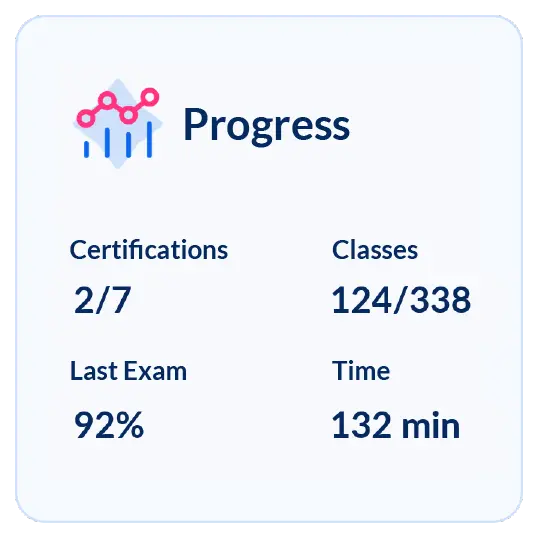
Progress reports
Receive periodic reports showing each participant’s progress, completion status and final exam results.
What our company gains by training in Excel

Commercial teams, product managers, and support agents
-
Generate sales reports, forecasts, and support metrics with fewer corrections.
-
Apply consistent criteria for KPIs such as churn, SLA, and ticket response times.
-
Improve data quality with validated and consistent formats.
-
Deliver aligned information to stakeholders.

Data analysts, operations managers, and PMO
-
Integrate data from CRM, ERP, ticketing systems, and internal platforms into structured files that are easy to update.
-
Automate recurring calculations such as volumes, averages, or capacity.
-
Reduce rework with standardized templates and aligned metrics.
-
Gain more time for analysis and follow-up.

Training and development teams
-
Assign the right levels using the Ninja Excel Test.
-
Receive clear reports on progress and final results.
-
Justify investment with verifiable performance metrics.
-
Manage training groups and schedules without added administrative workload.
Strengthen how your team uses Excel in their day-to-day work
Improve how your teams analyze data, build reports and present results. With Ninja Excel, they learn inside live Excel, apply each function to their workflows and receive support from an online teacher with Microsoft Office Specialist certification.
Start today and apply each exercise directly to your day-to-day Excel files.

How your teams solve real challenges with Excel
Use case 1
Month-end close in Finance
(software company)
Before: Emily, a finance analyst, receives invoices, purchase orders, and MRR/ARR reports from sales and operations. Each team uses different formats and formulas. Emily adjusts columns, fixes calculations, and aligns dates before closing the month.
After: Using structured tables, data validation, SUMIFS, XLOOKUP, and standardized formulas, Emily integrates the information without rework and no longer needs to adjust formats or formulas before closing the month.

Use case 2
Technical support in telecommunications (service desk/NOC)
Before: Jason manages support for internet and phone services. Tickets come from the ticketing system, email and internal chats, each with different categories and severities. His team standardizes descriptions before reporting.
After: With drop-down lists, field validation, advanced filters and consistent rules, Jason consolidates tickets quickly and identifies recurring patterns without delays.

Use case 3
Product and Customer Success in SaaS
Before: Megan (Product Manager) analyzes feature usage, Ryan (Customer Success Manager) calculates churn, renewals and adoption. Product uses event-based usage; CS uses active accounts and licenses, creating inconsistent numbers.
After: With consistent tables, aligned columns (customer ID, period, usage, licenses) and XLOOKUP to cross-reference data, both teams work with the same criteria and their reports align.

Use case 4
Network operations in a telecommunications company (fixed/mobile)
Before: Danielle reviews performance using NMS metrics (traffic, latency), dashboards (packet loss, availability) and field reports. Each source uses different formats, making it hard to anticipate demand changes.
After: Using absolute and relative references, SUMIFS, AVERAGEIFS, and trend formulas, Danielle consolidates all sources into one workbook and reviews traffic variations using consolidated tables and trend formulas.

Choose how you want your team to learn Excel
See what your team gets with Ninja Excel compared to standard training or video-based self-learning.
| Feature | Ninja Excel ✅ | Standard non-specialized training | Video-based self-learning |
|---|---|---|---|
| Practice environment | Live Excel in the browser. | Exercises in simulated or static environments. | Videos and guides with no direct interaction. |
| Learning structure | MECE learning paths based on each participant’s actual level. | Standard content with no personalization. | Free progress with no structured guidance. |
| Support | Online teacher with Microsoft Office Specialist certification. | Delayed support or limited to scheduled sessions. | No support. |
| Progress tracking | Reports showing progress, completion, and exam results. | Partial evaluations with no continuous follow-up. | No tracking. |
| Application to work | Exercises and assessments built around scenarios and metrics from this industry. | Generic examples that don’t reflect industry specifics. | Depends on the learner’s own initiative. |
| Training content | Excel certifications from A0 to C2 based on an initial assessment. Specializations: Introduction to Data Analysis, Predictive Analysis for Decision-Making, Pivot Tables Level I and II. MECE paths to advance without repeating or skipping content. | Fixed syllabus with no adjustment to company needs. | Disconnected content with no alignment to organizational priorities. |
Ninja Excel: Live Excel in the browser.
Standard training: Exercises in simulated or static environments.
Video self-learning: Videos and guides with no direct interaction.
Ninja Excel: MECE learning paths based on each participant’s actual level.
Standard training: Standard content with no personalization.
Video self-learning: Free progress with no structured guidance.
Ninja Excel: Online teacher with Microsoft Office Specialist certification.
Standard training: Delayed support or limited to scheduled sessions.
Video self-learning: No support.
Ninja Excel: Reports showing progress, completion, and exam results.
Standard training: Partial evaluations with no continuous follow-up.
Video self-learning: No tracking.
Ninja Excel: Exercises and assessments built around scenarios and metrics from this industry.
Standard training: Generic examples that don’t reflect industry specifics.
Video self-learning: Depends on the learner’s own initiative.
Ninja Excel: Excel certifications from A0 to C2 based on an initial assessment. Specializations: Introduction to Data Analysis, Predictive Analysis for Decision-Making, Pivot Tables Level I and II. MECE paths to advance without repeating or skipping content.
Standard training: Fixed syllabus with no adjustment to company needs.
Video self-learning: Disconnected content with no alignment to organizational priorities.
Frequently Asked Questions
about Excel training for Technology, Software and Telecommunications
Which Excel certifications do you recommend for technical teams such as data analysts, PMO, or operations managers?
We recommend certifications focused on data analysis and process automation:
- Excel C1 (Advanced): modeling, advanced functions, and preparing projections.
- Excel C2 (Expert): automation with macros, Solver, and process optimization.
- Introduction to Data Analysis: structuring, transforming, and visualizing information.
- Pivot Tables Level II: data consolidation and dashboards for critical KPIs.
Which certifications are most useful for commercial teams, product teams, or support?
We suggest certifications focused on consistent and agile reporting:
- Excel B1 (Intermediate): standardizing metrics and building sales or forecast reports.
- Excel B2 (Upper Intermediate): data analysis applied to commercial and support metrics.
- Predictive Analysis for Decision-Making: projections applied to sales, churn, or ARPU.
- Pivot Tables Level I: segmentation and analysis of customers, products, or tickets.
How is training progress measured in Ninja Excel?
The person responsible for training in your company will receive reports that include:
- Start and end dates of the training period
- Full name and email of each participant
- Assigned course
- Course progress in percentage
- Final exam result
Reports do not include quiz results or comparisons between periods or groups, and they cannot be modified.
Can the training be customized to our company’s KPIs or internal processes?
Yes. The learning path is defined using the Ninja Excel Test, which assesses each participant’s initial level.
This allows us to assign certifications and content aligned with common metrics used in your industry, such as churn, ARPU, NPS, or support response times.
What is the difference between learning in live Excel versus other formats?
With Ninja Excel, teams work directly in Excel from their browser.
Every exercise is tied to functions and analyses they use in their daily work, with automatic validation and direct support through the online teacher with Microsoft Office Specialist certification.
Is it compatible with our company’s infrastructure and systems?
Yes. Ninja Excel runs directly in the browser, with no installations or local setup required. It is compatible with Windows and Mac (updated browser). No local servers or IT configurations are needed.
Powered by Microsoft Azure and Cameyo technology, each session is private and encrypted, guaranteeing high performance and security even during periods of high user concurrency.
How much time does a participant need to complete a certification?
This depends on the certification assigned after the initial assessment:
- A0 (Beginner Intro): 6 hours
- A1 (Beginner): 8 hours
- B1 (Intermediate): 8 hours
- B2 (Upper Intermediate): 10 hours
- C1 (Advanced): 12 hours
- C2 (Expert): 16 hours
- Pivot Tables Level I: 6 hours
- Pivot Tables Level II: 8 hours
- Introduction to Data Analysis: 10 hours
- Predictive Analysis for Decision-Making: 12 hours
All certifications are structured into micro-lessons of 3 to 7 minutes, allowing participants to learn without disrupting daily operations.
Let’s design the
Excel training
your team truly needs
Tell us about your team and the goals you want to achieve. We’ll show you how Ninja Excel can support you with a proposal aligned to your needs.